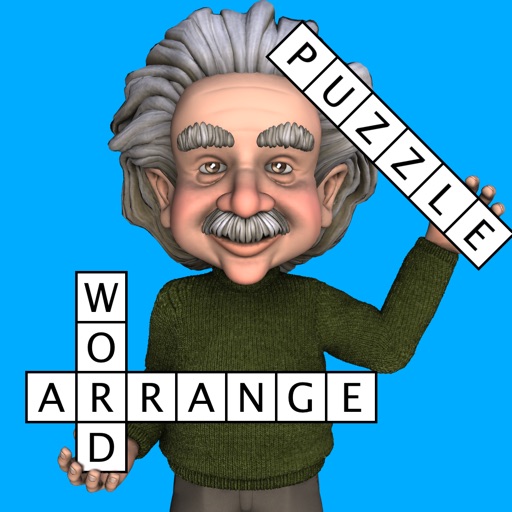
Fit words into a grid in this popular game, often seen in puzzle magazines as fill-ins. The grid looks like a crossword, but there are no normal clues. Instead you must find the right place in the grid for each word from a given list. The game has an easy to use interface. Either drag-and-drop the words to their correct position, or tap the grid an
US
TAKE A LOOK AROUND
Inside the game.
Official screenshots supplied through Apple. Artwork belongs to the respective developer. Download on theApp Store ↗
FIND YOUR KIND OF PLAY
Before you play.
Game style
Puzzle · Word
Platforms
iPhone · iPad
Languages
AF, SQ, AR, AZ, BG, CA, HR, CS, DA, NL, EN, ET, FI, FR, GL, DE, EL, HU, ID, IT, LV, LT, NB, NN, PL, PT, RO, RU, SR, SK, SL, ES, SV, TR, UK
Check the official page for current availability, supported devices and any in-game purchases.
ANSWERS FOR YOUR FIRST SESSION
Word Fit Puzzle gameplay guide and player questions
App Store edition · Researched Nov 13, 2026 · Guide updated Nov 13, 2026.
Our guidance
How do I place words into the grid?
You can place words using two methods: either drag-and-drop the words directly into their correct position, or tap the grid first and then select the word you wish to place from the provided list.
Can I play this game in languages other than English?
Yes, you can play in 35 other languages besides English. You can choose your preferred language from a large range of downloadable dictionaries, making the app a useful tool for language learning.
You can choose from 10 built-in difficulty levels ranging from 0 to 9, or use the custom mode to configure specific settings like grid size and word length to match your preferred challenge level.
Is it possible to play with sequences of digits or symbols?
Yes, the game is not limited to words. You can also look for sequences of digits or symbols, providing variety beyond standard word-based fill-in puzzles if you prefer a different type of challenge.
You can configure the game to start with one or more letters already placed in the grid. This feature is designed to help you get started by providing a few anchor points for your puzzle.
You can specify exactly how many columns and rows to use, ranging from 3 to 20. The game supports non-square grids, such as 12x15, allowing for a wide variety of custom board configurations.
The game tracks your performance by recording the time taken to complete a puzzle. It maintains a list of the best 20 scores for each of the 10 difficulty levels, allowing you to track your progress.
Can I change the orientation of the game while playing?
Yes, the game supports both portrait and landscape modes. You can simply rotate your device, and the display will adjust automatically to your preferred orientation without needing to restart the current puzzle.
How can I avoid having to search for many small words?
You can configure the minimum and maximum word length settings. By setting both to a higher number, such as three, you can avoid the common problem of having to place many small words in the grid.
Can I see definitions for the words I am playing with?
Yes, you can view the definition of a word using an online dictionary, which requires an internet connection. When playing in a foreign language, definitions are provided in your own language where possible.
AI-assisted research with automated evidence and consistency checks. Good Game Daily organizes publisher information into practical answers. Guidance is an editorial interpretation of those sources. These notes are based on source research rather than a firsthand playtest; editions and later updates may differ.
Check that your Apple device runs iOS 12.0 or later.
What’s new in 3.2.3.
1) Bugfixes
Release notes supplied by the developer through the App Store.
About Word Fit Puzzle
Developer description, as provided in the original store listing.
Fit words into a grid in this popular game, often seen in puzzle magazines as fill-ins. The grid looks like a crossword, but there are no normal clues. Instead you must find the right place in the grid for each word from a given list. The game has an easy to use interface. Either drag-and-drop the words to their correct position, or tap the grid and then the word. The words to find are in English, or you can play in 35 other languages.
• Play an unlimited number of different puzzles!! • Multiple difficulty options. Play one of 10 built in difficulty levels, or use the custom mode to configure the difficulty of the game to exactly what you want • You can also look for sequences of digits or symbols, not just words • Designed for fun games from the smallest mobile phones up to the largest tablets
You can configure:
1) Grid size Specify exactly how many columns and rows to use (from 3 to 20). Even non square grids (e.g. 12x15) are possible 2) Difficulty settings Change the difficulty of the puzzles, from easy to very difficult 3) Minimum & Maximum word length This helps avoid searching for many small words (a common problem in word apps). Also useful for specifying really difficult games (e.g. set both minimum and maximum word length to three). 4) Starting letters The game can start with one or more letters already placed in the grid, in order to help you get started 5) Language Choose the language of the word list, from a large range of downloadable dictionaries. 36 languages are currently available (see below) 6) Orientation Can be played in portrait or landscape mode. Just rotate your device and the display adjusts automatically 7) Word Category Choose the words to find from a range of categories; e.g. animals, food etc
This app gives you the ultimate power to play the game just the way you want
Each game is assigned a difficulty level from 0 (easy) to 9 (very hard). The difficulty level is determined by the settings or the difficulty selector. Each difficulty level maintains the high scores (measured by fastest time to complete the game). The game displays the best 20 scores for each difficulty level.
Other features unique to this app:
1) View the definition of the word from an online dictionary (internet connection required) 2) When you play with a word list in a foreign language, the word definition will (where possible) be in your own language. This is great for language learning!
Good to know.
Developer
Havos
Release date
Nov 15, 2013
Latest version
3.2.3
Requires
iOS 12.0 or later
Price snapshot
Free USD
Source checked
Nov 13, 2026
Apple App Store lookup ↗ · Store ratings, prices, and availability can change. Check the App Store for your region.
A few quick answers.
Is Word Fit Puzzle available on iPhone?
Word Fit Puzzle is listed on the US App Store. Availability varies by region and compatible device.
Is Word Fit Puzzle free?
The recorded download price is free. In-app purchases, subscriptions, or additional content may cost extra. Source checked Nov 13, 2026.
How is the game’s social activity measured?
Good Game Daily compares available samples of recent game mentions with the preceding 24-hour window. Coverage and source failures are disclosed. Read the methodology.