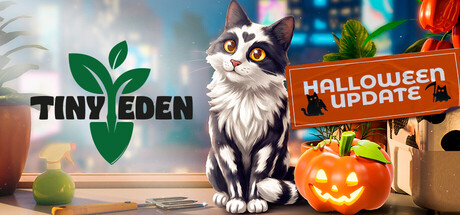
A cozy first-person farming sim, set in the heart of a futuristic city. Grow plants, cook what you harvest, and discover new varieties as you turn your apartment into a thriving urban garden, from a small balcony to a rooftop paradise.
DESCRIPTION SUPPLIED BY THE DEVELOPER THROUGH STEAM
Inside the game.
Screenshots supplied by Bajka Games through Steam.
Check the official page for current availability, supported devices and any in-game purchases.
ANSWERS FOR YOUR FIRST SESSION
Tiny Eden gameplay guide and player questions
Steam edition · Researched Nov 9, 2026 · Guide updated Nov 9, 2026.
Our guidance
How do I start my gardening journey in the apartment?
Begin by utilizing the limited space available to you with a few initial pots. As you progress, you will learn the specific needs of your plants, nurturing them carefully from the seed stage all the way through to harvest.
What is the process for ensuring my plants thrive?
To help your plants grow, you must select the correct planter and create the perfect soil mix using ingredients like compost, sand, and clay. Additionally, place them in locations where the light and temperature are best suited for their needs.
How can I expand my gardening area beyond the initial room?
You can expand your garden by unlocking new rooms within your apartment. Over time, you will gain access to balconies and other growing spaces, eventually allowing you to extend your collection all the way to the rooftop greenhouse.
Your harvest can be taken into the kitchen to be turned into various dishes, including salads and baked treats. These homemade meals can then be sold to the people living in the apartment in exchange for money.
After selling the meals you have prepared from your harvests, you can reinvest the earnings back into your garden. This allows you to discover new plant varieties and continue expanding your indoor garden setup throughout your home.
Yes, you can decorate your home to create a space that feels truly your own. You are encouraged to mix and match furniture and decorations, arranging your plants as part of the room's design to suit your personal style.
Are there any specific maintenance tasks for my plants?
Beyond providing the right soil and light conditions, you must ensure your plants are kept watered and free of weeds as they grow. Consistent care is essential to successfully bringing your plants from seed to harvest.
Yes, the game features full controller support. It is compatible with DualShock and DualSense controllers, and it utilizes the Steam Input API to ensure a smooth experience while you manage your apartment and garden.
Yes, the game includes a save anytime feature. This allows you to manage your gardening tasks and apartment decorations without worrying about losing your progress, providing flexibility as you expand your garden throughout the building.
Yes, you should remember your meow-tastic friend while working on the apartment. It is important to ensure that your cat feels at home as well while you arrange your furniture and plants throughout the living space.
AI-assisted research with automated evidence and consistency checks. Good Game Daily organizes publisher information into practical answers. Guidance is an editorial interpretation of those sources. These notes are based on source research rather than a firsthand playtest; editions and later updates may differ.
YOUR NEXT STEP
Check the fit before you install
For Tiny Eden · Steam edition.
Compare your device with the listed Windows, Linux requirements. Full controller support is listed.
Steam lists single-player support. Read the developer’s requirements if you need to play without an internet connection; single-player does not by itself establish offline access.
The full-game US price snapshot is 14.99 USD; check the current price in your region.
Minimum: Requires a 64-bit processor and operating system OS: Windows 10 64-bit Processor: Intel Core i5-8400 / AMD Ryzen 3 3100 Memory: 16 GB RAM Graphics: NVIDIA GeForce GTX 1050 Ti 4 GB / AMD Radeon RX 570 4 GB DirectX: Version 12 Storage: 10 GB available space Additional Notes: For comfortable experience it is highly recommended to use SSD
macOS minimum requirements
Minimum:
Linux minimum requirements
Minimum: OS: SteamOS 3.x or Ubuntu 22.04 LTS / newer, 64-bit (glibc 2.28 or newer) Processor: Intel Core i5-8400 / AMD Ryzen 3 3100 Memory: 16 GB RAM Graphics: 4 GB VRAM, Vulkan 1.3 driver with mesh shader support (AMD RDNA2 or newer, NVIDIA Turing or newer) Storage: 10 GB available space Sound Card: PipeWire or PulseAudio Additional Notes: Vulkan 1.3 is required. The game does not start on GPUs or drivers without mesh shader support.
From the community.
No discussions yet. Share your experience after playing.
KEEP EXPLORING
More in your kind of genre.
Related by shared genres. Platforms and play modes may differ.