Check the official page for current availability, supported devices and any in-game purchases. Browser controls may require a keyboard or mouse.
ANSWERS FOR YOUR FIRST SESSION
RUN WAY gameplay guide and player questions
itch.io browser edition · Researched Nov 11, 2026 · Guide updated Nov 11, 2026.
Our guidance
How do I effectively evade the chaser during my run?
To escape the angry guy with the spiked club, you should dive through house windows. Since the chaser must go around these obstacles, using windows provides a strategic advantage to maintain your distance and survive longer in the village.
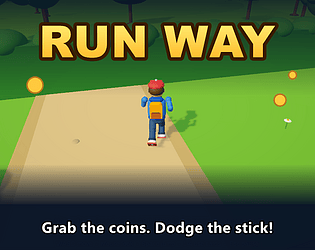
Your main goal is to run through the village, collect as many coins as possible, and survive for as long as you can while being pursued by the angry guy with the spiked club.
How can I acquire new abilities to help me survive?
You can unlock powerful cards by opening mystery chests found during your run. These cards provide essential abilities that help you stay alive while navigating the village and avoiding the chaser.
What specific cards are available to assist in gameplay?
You can utilize special cards such as Dash, Freeze, and Shield. These abilities are designed to help you stay alive longer, though keep in mind that the chaser becomes stronger as your card collection grows.
What are the PC controls for movement and looking?
On PC, use the WASD keys to move your character through the village and use your mouse to look around. This setup allows for precise navigation while you are being chased by the club-wielding enemy.
Once you have collected cards from mystery chests, you can activate them during gameplay by pressing the number keys 1 through 4 on your keyboard. Ensure you use them strategically to survive the chaser's pursuit.
When playing on mobile, you can jump by tapping the dedicated JUMP button on your screen. This is essential for clearing obstacles in the village while you are attempting to escape the chaser.
On mobile devices, use your left thumb to control character movement. To look around, drag your finger across the right side of the screen. This allows you to navigate the village effectively while running.
Using cards on mobile is straightforward; simply tap the card icon on your screen when you need to activate its effect. These abilities, like Freeze or Shield, are vital for surviving as the chaser gets stronger.
As you continue to play and your collection of cards grows, the chaser becomes stronger. This progression mechanic increases the difficulty, requiring you to use your abilities more effectively to survive for longer periods.
AI-assisted research with automated evidence and consistency checks. Good Game Daily organizes publisher information into practical answers. Guidance is an editorial interpretation of those sources. These notes are based on source research rather than a firsthand playtest; editions and later updates may differ.
YOUR NEXT STEP
Set up a browser session
For RUN WAY · itch.io browser edition.
Controls are not specified in the information panel. Read the developer’s instructions before choosing a device; browser play alone does not establish touch support.
A session length is not verified. Check the save or restart instructions before starting if you have a fixed amount of time.
Use the browser build on the official page. Optional downloads can have different features and prices.