Check the official page for current availability, supported devices and any in-game purchases. Browser controls may require a keyboard or mouse.
ANSWERS FOR YOUR FIRST SESSION
ECHOLOC gameplay guide and player questions
itch.io browser edition · Researched Nov 8, 2026 · Guide updated Nov 8, 2026.
Our guidance
How do I navigate the environment without sight?
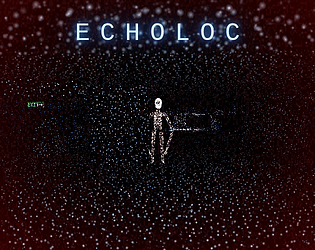
Since you cannot see, you must use echolocation to perceive your surroundings. Press the Space bar on your computer to emit a sound, which reveals the layout of the halls. Be careful, as frequent echoing attracts the creature.
What is the risk of using echolocation too frequently?
Using echolocation too often or too close to the creature will alert it to your presence. Once it hears you, it will hunt you down. When the creature runs, it screams, which in turn causes other entities to answer.
How can I effectively track the creature's position?
You should play with headphones to take advantage of the spatial audio. Every sound in the game is placed around you, allowing you to accurately hear where the creature and other entities are located within the dark halls.
AI-assisted research with automated evidence and consistency checks. Good Game Daily organizes publisher information into practical answers. Guidance is an editorial interpretation of those sources. These notes are based on source research rather than a firsthand playtest; editions and later updates may differ.
YOUR NEXT STEP
Fit a browser game into your break
For ECHOLOC · itch.io browser edition.
The developer lists these inputs: Keyboard, Mouse, Gamepad (any), Touchscreen. Check browser and device compatibility before starting.
The listed average session is a few minutes. Your session can vary; check how saving works before closing the page.
Use the browser build on the official page. Optional downloads can have different features and prices.