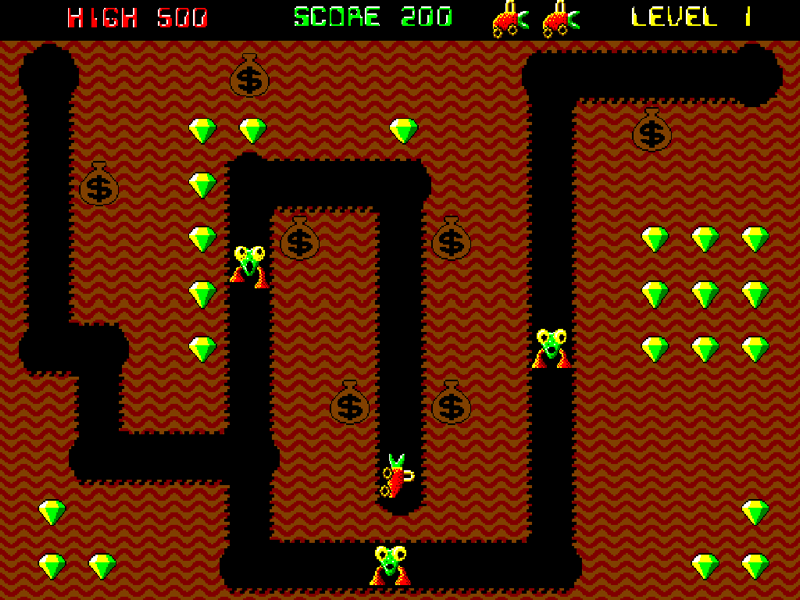
Accessorize your desktop experience with customizable retro consoles on your screen. Draw, decorate, write, and even keep track of time. With a focus on functionality and long term support, Console Companions will continue to grow with its community! Linux compatible on most distros.
DESCRIPTION SUPPLIED BY THE DEVELOPER THROUGH STEAM
Check the official page for current availability, supported devices and any in-game purchases.
ANSWERS FOR YOUR FIRST SESSION
Console Companions gameplay guide and player questions
Steam edition · Researched Nov 10, 2026 · Guide updated Nov 10, 2026.
Our guidance
How do I customize the appearance of my consoles?
You can personalize your consoles by unlocking various colorful skins and stickers. These decorative items are obtained through Inv’s handy vending machine, allowing you to tailor the aesthetic of your desktop companions to your personal preference.
What is the primary function of Inv, the backpack?
Inv serves as a resizable backpack menu that acts as your central hub. It is designed to store all of your consoles, collected items, and personal settings, keeping your desktop workspace organized and accessible while you work or play.
Yes, you can organize your consoles into designated Playrooms. Additionally, you can utilize the Favorites Menu to quickly open and store your most frequently used consoles, ensuring a streamlined workflow while using the application on your desktop.
How many accessory consoles are currently available?
There are currently six accessory consoles available for you to use. The developers have indicated that many more consoles are planned to be added in future updates as they continue to build the definitive desktop companion experience.
Is it possible to spawn multiple consoles at once?
Yes, you are able to spawn an unlimited number of resizable consoles. These consoles are designed to save your progress, allowing you to maintain your customized desktop setup exactly how you like it across different sessions.
What operating systems are supported for this software?
The software offers Linux support on most distributions. While it is compatible with a wide range of systems, the development team has most commonly tested the application on Ubuntu to ensure stability and performance for Linux users.
What is the current focus of the development team?
The project currently focuses on utility and art consoles to enliven your desktop. Future development plans involve introducing primary game consoles, which will eventually form the main gameplay loop for the application as it evolves.
Yes, the application features a save anytime mechanic. This ensures that you can manage your desktop companions and progress at your own pace without worrying about losing your current setup or customizations during your session.
The software is designed to be playable without timed input. This accessibility feature allows you to interact with your consoles and manage your desktop environment comfortably at your own pace, regardless of your preferred play style.
To receive the latest development updates and official announcements, you should wishlist and follow the project on Steam. This ensures you are notified as new features, such as primary game consoles, are added to the experience.
AI-assisted research with automated evidence and consistency checks. Good Game Daily organizes publisher information into practical answers. Guidance is an editorial interpretation of those sources. These notes are based on source research rather than a firsthand playtest; editions and later updates may differ.
YOUR NEXT STEP
Try a sample before deciding on the full game
For Console Companions · Steam edition.
Open the separate demo listing and check its own requirements. The full game lists Windows, Linux; the demo can differ.
Use the demo to check whether the controls, readability and pace suit you. Save transfer to the full game is not verified here.
The full game is marked coming soon. A full-game price is not verified here; check the store before deciding.
Minimum: Requires a 64-bit processor and operating system OS: windows 10 or 11 Processor: Intel Core 4th generation Memory: 4 GB RAM Graphics: NVIDIA GeForce GTX 460, 1GB or AMD Radeon R7 240, 1GB Storage: 1 GB available space VR Support: No support Additional Notes: Should run on pretty much anything.
Linux minimum requirements
Minimum: OS: Most distros but mainly tested on Ubuntu and SteamOS Processor: Intel Core 4th generation Memory: 4 GB RAM Graphics: NVIDIA GeForce GTX 460, 1GB or AMD Radeon R7 240, 1GB Storage: 1 GB available space VR Support: No support Additional Notes: Made for Ubuntu.
macOS minimum requirements
Minimum:
From the community.
No discussions yet. Share your experience after playing.
KEEP EXPLORING
More in your kind of genre.
Related by shared genres. Platforms and play modes may differ.