Check the official page for current availability, supported devices and any in-game purchases. Browser controls may require a keyboard or mouse.
ANSWERS FOR YOUR FIRST SESSION
Chime Brook gameplay guide and player questions
itch.io browser edition · Researched Nov 11, 2026 · Guide updated Nov 11, 2026.
Our guidance
How do I interact with the different chime types?
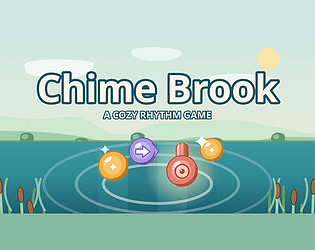
You can tap a lane for standard chimes, press and hold for ribbon chimes, and swipe across arrow chimes. These actions are performed using touch, mouse clicks, or specific keyboard keys to match the rhythm.
There is no fail state in this game. If you miss a chime, it simply fades away with a soft poof, and the underlying pad and bass tracks continue to play, keeping the melody sounding lovely throughout.
You earn stars by performing well on each song. Collecting these stars allows you to unlock new musical tracks, letting you progress through the four original songs at your own pace.
Dew is earned through gameplay and is used to unlock new brook scenes, such as Spring Meadow, Lantern Dusk, and Snowy Pines, as well as different chime sound sets like Glass Bell or Music Box.
Can I adjust the game if the audio feels out of sync?
Yes, there is a latency offset slider located in the Settings menu. This feature is designed to help if your specific device runs a little early or late, ensuring the audio matches your inputs.
What are the keyboard controls for the four lanes?
You can use the D, F, J, and K keys to interact with the four lanes. For ribbon chimes, simply hold the corresponding key, and for arrow chimes, a plain key press is all that is required.
There are four original songs included, each lasting about two minutes. They range in difficulty from slow and easy tracks to a denser moonlit finale, providing a variety of experiences for the player.
Yes, you can pause at any time by pressing the Esc key or clicking the pause button. When you are ready to continue, the game provides a three-second countdown before the song resumes.
No, the game is designed to be accessible with just one finger. Whether you are using touch controls or a mouse, you only need a single point of contact to tap, hold, or swipe the chimes.
Does the game require an internet connection or account?
No, the game plays fully offline directly in your browser. There are no ads to interrupt your experience, and you do not need to create an account to save your progress or unlock new content.
AI-assisted research with automated evidence and consistency checks. Good Game Daily organizes publisher information into practical answers. Guidance is an editorial interpretation of those sources. These notes are based on source research rather than a firsthand playtest; editions and later updates may differ.
YOUR NEXT STEP
Set up a browser session
For Chime Brook · itch.io browser edition.
Controls are not specified in the information panel. Read the developer’s instructions before choosing a device; browser play alone does not establish touch support.
A session length is not verified. Check the save or restart instructions before starting if you have a fixed amount of time.
Use the browser build on the official page. Optional downloads can have different features and prices.