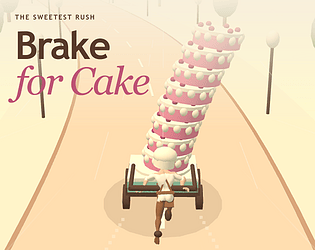
Check the official page for current availability, supported devices and any in-game purchases. Browser controls may require a keyboard or mouse.
ANSWERS FOR YOUR FIRST SESSION
Get more out of Brake for Cake.
itch.io browser edition · Researched Oct 31, 2026 · Guide updated Oct 31, 2026.
Source facts
How do I control the speed and movement of my cake cart?
To control your cart, hold the mouse button or screen to accelerate and release to slow down. You must also drag left or right to steer, ensuring you steer smoothly to keep the cake balanced over the cart.
What is the primary objective when managing my cake layers during a race?
Your goal is to sell cake layers by passing close to customers. You start with six layers and can purchase more at the halfway bakery, but remember that unsold layers earn nothing, so balance your stock carefully.
What is a good strategy for handling the road's obstacles?
It is suggested that you release the button early when approaching bumps, particularly the wide striped ones. Additionally, avoid sharp steering while at high speeds, as curves and sideways acceleration can easily cause your cake to fly off.
AI-assisted research with automated evidence and consistency checks. Good Game Daily organizes publisher information into practical answers. Guidance is an editorial interpretation of those sources. These notes are based on source research rather than a firsthand playtest; editions and later updates may differ.
YOUR NEXT STEP
Set up a browser session
For Brake for Cake · itch.io browser edition.
Controls are not specified in the information panel. Read the developer’s instructions before choosing a device; browser play alone does not establish touch support.
A session length is not verified. Check the save or restart instructions before starting if you have a fixed amount of time.
Use the browser build on the official page. Optional downloads can have different features and prices.