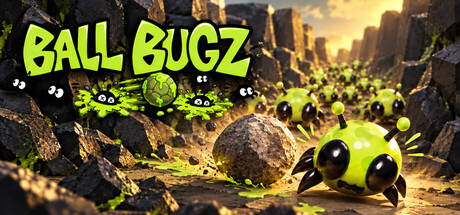
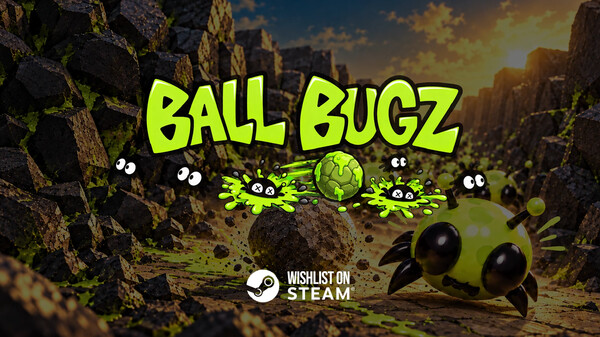
Ball Bugs is an incremental defense game where you start with a single persistent ball and build up an arsenal of ball firing turrets, artillery and special ball types. Bounce, splat, upgrade and come back stronger until the bugs stop getting through.
DESCRIPTION SUPPLIED BY THE DEVELOPER THROUGH STEAM
Inside the game.
Screenshots supplied by Crush Bug Studios through Steam.
Check the official page for current availability, supported devices and any in-game purchases.
ANSWERS FOR YOUR FIRST SESSION
Ball Bugz gameplay guide and player questions
Steam edition · Researched Nov 8, 2026 · Guide updated Nov 8, 2026.
Our guidance
How do I begin my first run in Ball Bugs?
To start, place your persistent ball onto the lane, carefully choose your preferred launch angle, and set up your initial defenses. Once you initiate the run, the ball stays in play, bouncing around to smash any bugs crossing its path.
Do not worry if you fail to stop everything on your first attempt. You can use the resources gained from your run to upgrade your setup and return stronger, allowing you to progress further in subsequent attempts against the swarm.
How can I improve my performance against larger swarms?
You should focus on upgrading your setup by adding ball-firing turrets and artillery. Unlocking these new ways to deal with the swarm will help you handle the tougher enemies and larger groups that appear as you progress through the game.
Placement is critical because the right positioning for your turrets can completely change how a level plays. A strategic launch angle allows your ball to cut through the busiest parts of a lane repeatedly, maximizing your defensive efficiency against incoming bugs.
To move forward in the game, you must successfully clear the current level. Once you have cleared a level, you can choose to return later to master it by ensuring not a single bug makes it through your defenses.
What challenges will I face as the game progresses?
As you advance, levels introduce more lanes, awkward angles, and larger swarms. You will also encounter tougher enemies capable of knocking weaker balls off course, eventually leading to huge battles filled with ricochets, explosions, and colorful bug splats.
The level editor allows you to create custom maps by shaping enemy routes, entrances, exits, lanes, and the battlefield. You can build simple designs or ridiculous challenges, test them with your setup, and share them via the Steam Workshop.
Yes, you can access the Steam Workshop to see what other players have built. This allows you to jump into custom maps created by the community, providing endless opportunities to test your skills against unique, player-designed challenges.
Once the ball is moving, it remains in play for the duration of the run. It will bounce around the level, smashing any unfortunate bugs that cross its path, making it your primary tool for clearing the swarm.
To properly master a level, you must return to it after your initial clear and complete it without letting a single bug pass through your defenses. This requires careful planning of your ball angle and turret placement.
AI-assisted research with automated evidence and consistency checks. Good Game Daily organizes publisher information into practical answers. Guidance is an editorial interpretation of those sources. These notes are based on source research rather than a firsthand playtest; editions and later updates may differ.
YOUR NEXT STEP
Check the fit before you install
For Ball Bugz · Steam edition.
Compare your device with the listed Windows requirements. Controller support is not verified here.
Steam lists single-player support. Read the developer’s requirements if you need to play without an internet connection; single-player does not by itself establish offline access.
The full-game US price snapshot is 5.99 USD; check the current price in your region.