Check the official page for current availability, supported devices and any in-game purchases. Browser controls may require a keyboard or mouse.
ANSWERS FOR YOUR FIRST SESSION
99% gameplay guide and player questions
itch.io browser edition · Researched Oct 30, 2026 · Guide updated Oct 30, 2026.
Source facts
How do I interact with the game's loading bar?
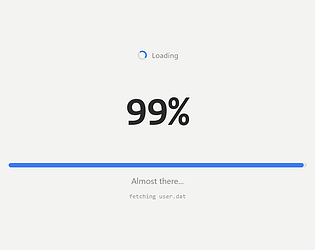
You can progress the game by clicking or tapping anywhere on the screen, or by pressing the Space bar. The game features infinite decimals where every click makes the loading bar longer, eventually reaching 99.1, 99.12, and beyond.
What is a practical way to manage the loading progress?
If you feel the loading process is taking too long, you can choose to spend your accumulated progress by clicking the provided links labeled 'Taking too long? Try:' to trigger various fake fixes like clearing your cache.
What is the difference between the browser edition and the Deluxe version?
The browser edition serves as a free demo, while the Deluxe version expands the experience with five additional acts, four new endings, a speedrun mode, a nightmare mode, and nine different skins for the loading bar.
AI-assisted research with automated evidence and consistency checks. Good Game Daily organizes publisher information into practical answers. Guidance is an editorial interpretation of those sources. These notes are based on source research rather than a firsthand playtest; editions and later updates may differ.
YOUR NEXT STEP
Fit a browser game into your break
For 99% · itch.io browser edition.
The developer lists these inputs: Keyboard, Mouse, Touchscreen. Check browser and device compatibility before starting.
The listed average session is a few minutes. Your session can vary; check how saving works before closing the page.
Use the browser build on the official page. Optional downloads can have different features and prices.